![Omr_reviews_Logo_Black_Rgb_2000px_w_72ppi (2)-3.png]](https://hi.omr.com/hs-fs/hubfs/Omr_reviews_Logo_Black_Rgb_2000px_w_72ppi%20(2)-3.png?height=40&name=Omr_reviews_Logo_Black_Rgb_2000px_w_72ppi%20(2)-3.png)
1. Click on your product and navigate to the “Profile” tab in the menu. Enter your profile content in the various tabs.
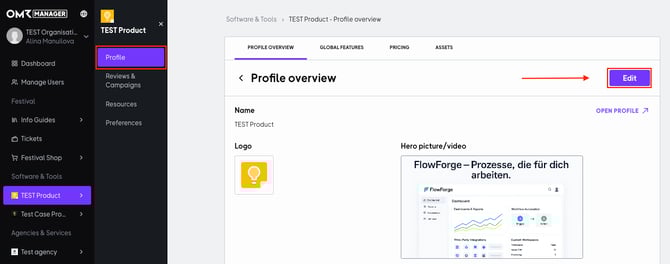
2. Enter the following profile information to create a meaningful profile. For step-by-step instructions, click on the respective links in the table.
| ✔️ Logo & product texts |
| ✔️ Profile picture & video |
| ✔️ Links & Call-to-Actions |
| ✔️ Global features |
| ✔️ Product screenshots & videos |
| ✔️ Pricing |
| ✔️ Documents for the download section |
💡 Good to know:
Your product profile is your digital business card on the platform. The more relevant information you provide, the more convincing, trustworthy, and attractive it will be to potential buyers.
An attractively designed profile can not only increase the length of time users spend on your page, but also increase the click-out rate – i.e., the number of clicks on your external links, such as your website or second call-to-action (available with the Advanced package). Potential customers are more likely to engage with a profile that offers comprehensive and valuable information
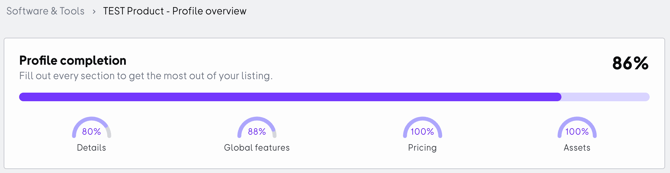
Profile Completion
In addition, the OMR Manager provides an overview of the completion of your OMR Reviews profile. This serves as a guide and shows you which information is still missing and should be added.