![Omr_reviews_Logo_Black_Rgb_2000px_w_72ppi (2)-3.png]](https://hi.omr.com/hs-fs/hubfs/Omr_reviews_Logo_Black_Rgb_2000px_w_72ppi%20(2)-3.png?height=40&name=Omr_reviews_Logo_Black_Rgb_2000px_w_72ppi%20(2)-3.png)
To give agency searchers an easy way to get in touch with you, you can add several links to your OMR Reviews profile. With the Essential package, you can already link all of your social media channels and your website, and use a call-to-action button that points to the contact form on your profile.
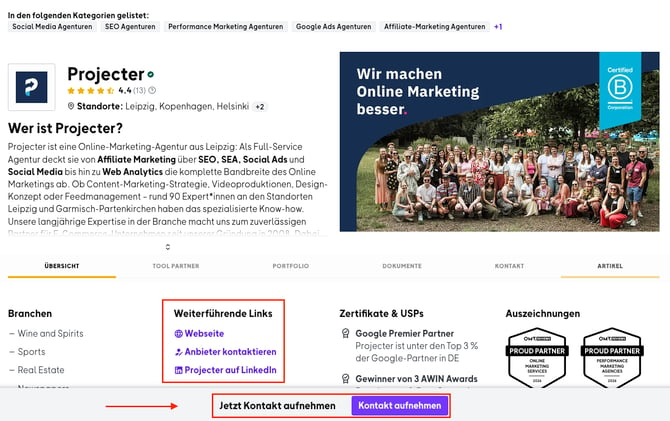
Use the custom CTA button for context-specific landing pages to reach visitors in a focused way. Context-specific landing pages are built around the needs and interests of your visitors, based on the source they came from or the content they looked at before. They show information about your agency and your services that fits the visitor's search intent and keeps irrelevant content out of the way. This sharper focus helps visitors find the right information faster and complete the action they came for, like getting in touch or requesting a quote, more efficiently
Step 1
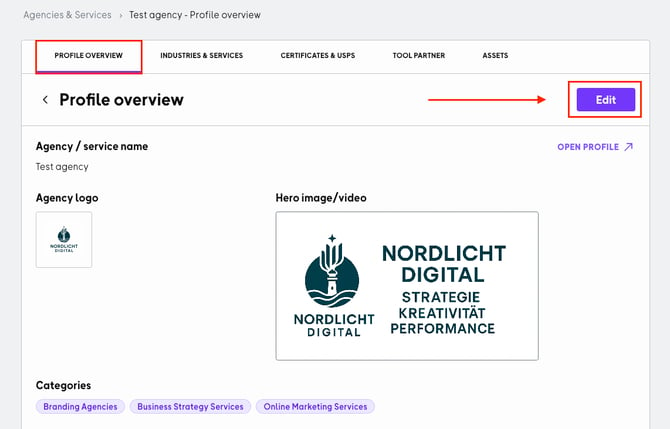
To start editing, log in to your OMR Manager account, go to the Profile tab, click Edit in the Profile overview section, and scroll down.
Step 2
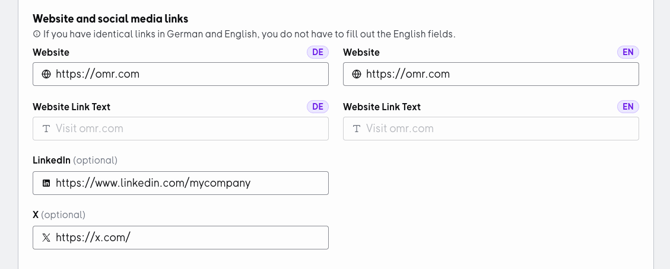
First, enter the relevant links in the Website and social media links section, then keep scrolling down.
Step 3
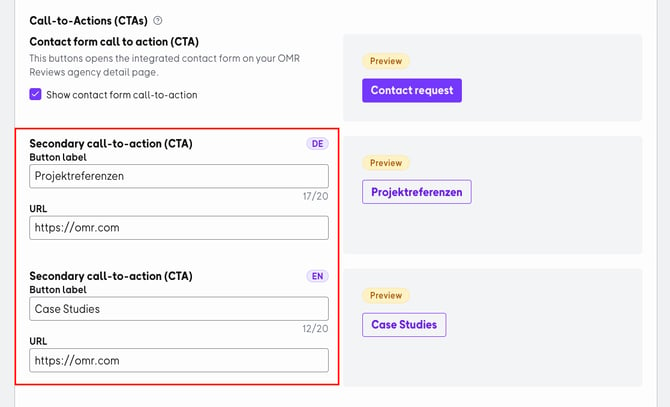
In the next section, Call-to-Actions (CTAs), you can create the second CTA button. Remember to add an English version below the German version. The preview of your CTA button appears on the right side. Once you're done, click Save in the bottom right corner.