![Omr_reviews_Logo_Black_Rgb_2000px_w_72ppi (2)-3.png]](https://hi.omr.com/hs-fs/hubfs/Omr_reviews_Logo_Black_Rgb_2000px_w_72ppi%20(2)-3.png?height=40&name=Omr_reviews_Logo_Black_Rgb_2000px_w_72ppi%20(2)-3.png)
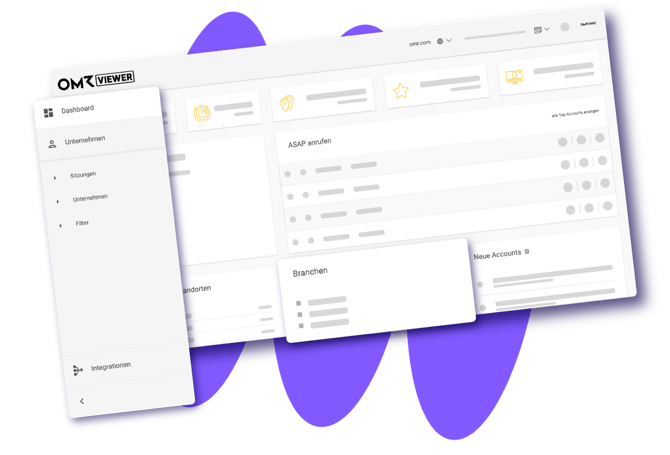
OMRviewer identifies anonymous company visits on OMR Reviews. To actively leverage these signals, they need to be integrated into your tool setup – whether that’s your CRM, enrichment tools, or directly into activation workflows like LinkedIn ABM. This article outlines the three possible approaches and provides a step-by-step guide to setting up the most flexible option: OMRviewer in Clay via Zapier.
GDPR Notice:
The identification of company visits is conducted exclusively at the corporate level and is not tied to specific individuals. This process complies with applicable data protection guidelines and GDPR requirements.
In this article, you'll find the following content 👇:
What OMRviewer tracks and what you can do with it
OMRviewer analyzes anonymous company visits to OMR Reviews. It identifies four types of page views:
-
Your product profile: Companies are searching for you directly or evaluating you.
-
Competitor profiles: Companies are looking at your competitors. This is just as relevant because they are active in the market.
-
ContentHub: Companies read topic-relevant content on OMR Reviews.
-
Category pages: Companies are browsing your software category. A classic early-stage signal.
The result is a list of companies that are actively showing purchase intent at the time of export. This list is the foundation for everything that follows.
Three Ways to Integrate OMRviewer Data
You have three options for processing OMRviewer data. Which one is right for you depends on your setup.
Option 1: Direct CRM integration via OMRviewer
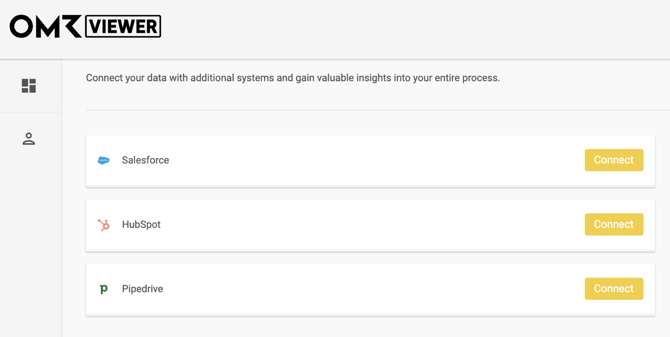
The easiest way. You log in to OMRviewer, go to Integrations, and connect it directly to your CRM: HubSpot, Salesforce, or Pipedrive. New business visitors are then automatically added to your CRM.
Option 2: Native CRM Integration via API Key
Ask your Customer Success Manager for the OMRviewer API key and use it to set up a native connection to your CRM. This gives you more control over field mappings and automation logic.
Option 3: Middleware for Enrichment, Scoring, and Activation
For anything beyond simple data transfer, you’ll need a middle layer. Middleware tools like Zapier, Make, n8n, or Clay enrich the raw data, qualify it, and activate it directly for campaigns. This is exactly the approach you’ll take if you want to set up LinkedIn ABM.
For this, you’ll need the OMRviewer API key or a manual CSV export. The rest of this article describes this third option using Clay as an example.
Please note that the API key is available starting with the Professional plan.
Connecting OMRviewer to Clay: A 5-Step Setup via Zapier
Clay is a data enrichment and lead intelligence tool. It combines company and contact data from over 150 sources into a single spreadsheet interface. You can connect OMRviewer and Clay fully automatically via Zapier: new profile visitors are added directly to your Clay table.
Step 1: Connect OMRviewer as a trigger in Zapier
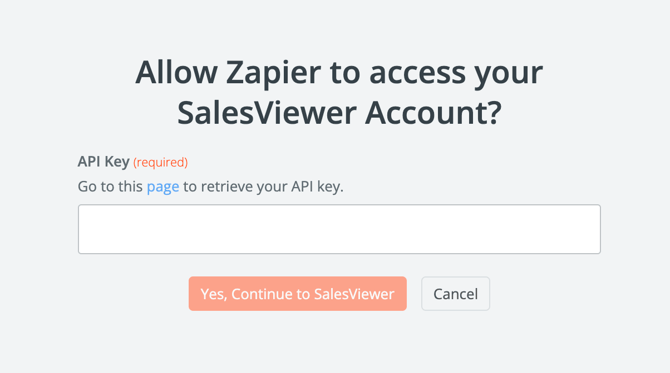
1. Create a new Zap in Zapier. Select Webhooks by Zapier as the trigger and search for Salesviewer (available only for paid Zapier subscriptions).
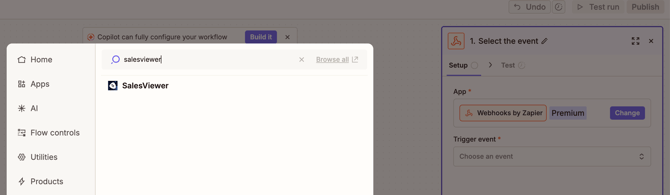
The Zapier trigger is called “Salesviewer” because OMRviewer is based on Salesviewer technology.
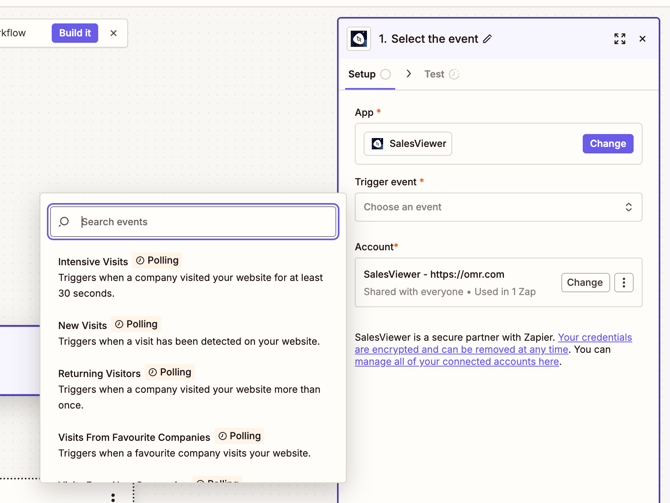
2. Select a trigger event. Each event has a different signal strength and is suited to a different use case:
Intensive Visits — fires when a company has been on your site for at least 30 seconds. Strong engagement signal, good for sales handoffs or retargeting audiences.
New Visits — triggers for every detected visit. The broadest trigger option, useful if you want to enrich the full dataset in Clay and filter it there.
Returning Visitors — triggers when a company visits more than once. A classic purchase intent signal for mid-funnel processing.
Visits from Favorite Companies — triggers only for companies you’ve marked as favorites in OMRviewer. Perfect for a high-priority ABM target list.
Visits from New Companies — triggers when a company is identified as a lead for the first time. Ideal trigger for SDR handoffs of net-new accounts.
Step 2: Set Clay as the action
-
In Clay, create a new table with the following columns: Company, Industry, Country, Event Type, Visited URL, Timestamp.
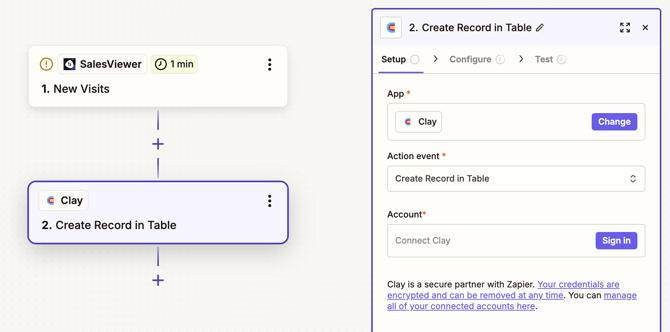
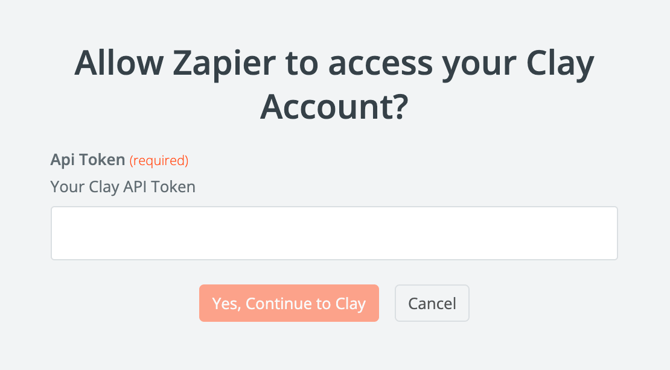
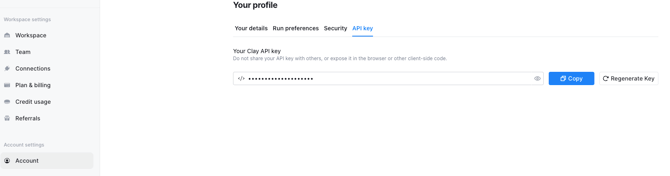
- In Zapier, select Clay as the action and choose either “Create Record in Table” or “Update Record in Table.” Enter your Clay API key. You can find it in Clay under Account Settings → API Key.
Step 3: Map fields
Map the Salesviewer data fields to the columns in your Clay table:
-
Company → “Company"
-
Industry → “Industry”
-
Country → “Country”
Also recommended: Map Event Type, Visited URL, and Timestamp so you can filter by signal strength in Clay.
Step 4: Activate the Zap
Activate the Zap. Zapier will now check for new data every minute and write it directly to Clay.
Step 5: Auto-Sync is running
From now on, your Clay table will be populated automatically. Every newly recognized company will be added there, and you can process it immediately: enrich contact data, score for ICP fit, segment lists.
Common Errors & Quick Fixes
Many common errors can be identified during trigger setup or field mapping and resolved in just a few minutes.
“Zap isn’t firing”
→ First, check that the correct trigger event has been selected in Zapier. It’s also helpful to trigger a test visit in OMRviewer to manually test the workflow.
“Columns in Clay remain empty”
→ In most cases, this is due to field name mapping. Check whether the transferred data fields are correctly assigned to the Clay columns.
“Duplicate entries in Clay”
→ Set the action in Clay to “Update Record” and use the company name (“Company”) as the match key. This will update existing records instead of creating new ones.
Alternative: CSV Import Without Automation
Want to test it out before setting up automation? You can do it without Zapier.
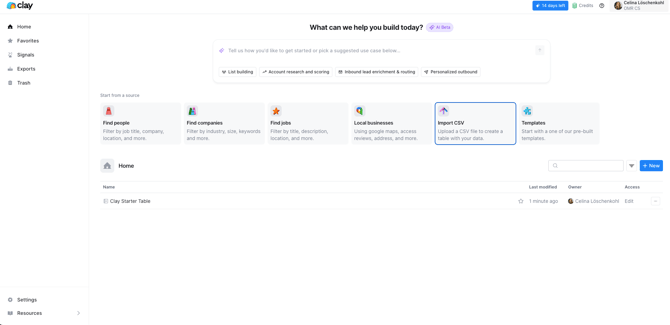
Export a company CSV from OMRviewer. Open Clay, click “Import CSV,” and upload the file. This is the quickest way to run a one-time test and a great way to get started before setting up the automated workflow.
This establishes the data foundation
Now, company visits from OMR Reviews are automatically fed into your Clay table (or into your CRM, if you selected Option 1 or 2). You can enrich the data, score it for ICP fit, segment it, and pass it on to all downstream tools, from sales engagement and marketing automation to paid campaigns.
The next logical step is activation: running targeted LinkedIn ABM campaigns on the qualified accounts. The complete workflow, from Custom Audience to dedicated landing page, is covered in the follow-up article.
👉 Best Practice: From Intent Signal to LinkedIn Campaign