![Omr_reviews_Logo_Black_Rgb_2000px_w_72ppi (2)-3.png]](https://hi.omr.com/hs-fs/hubfs/Omr_reviews_Logo_Black_Rgb_2000px_w_72ppi%20(2)-3.png?height=40&name=Omr_reviews_Logo_Black_Rgb_2000px_w_72ppi%20(2)-3.png)
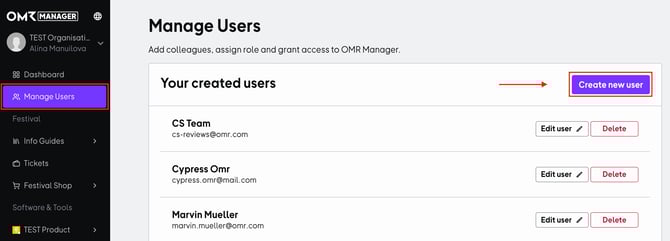
1. Select the menu item “Manage users” and click on “Create new user.”
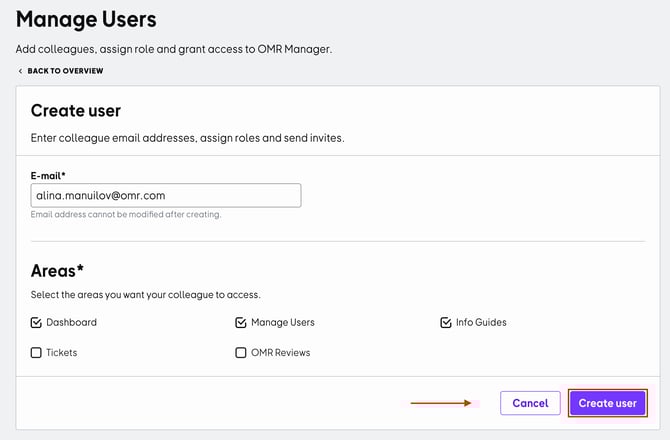
2. Enter your colleagues' email addresses and select the areas they should have access to in the “Access rights” section. Then click on “Create user” to send your colleagues an invitation email for access to OMR Manager.