![Omr_reviews_Logo_Black_Rgb_2000px_w_72ppi (2)-3.png]](https://hi.omr.com/hs-fs/hubfs/Omr_reviews_Logo_Black_Rgb_2000px_w_72ppi%20(2)-3.png?height=40&name=Omr_reviews_Logo_Black_Rgb_2000px_w_72ppi%20(2)-3.png)
Getting started with buyer intent data using OMRviewer can seem complex at first. To help you quickly and efficiently leverage the full potential of the data, we have put together a few tips. They will help you familiarize yourself with OMRviewer and smoothly integrate the data into your existing processes.
Step 1: Log in to OMRviewer
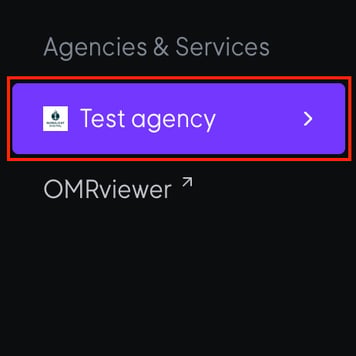
1. Log in to OMR Manager.
2. Navigate to the Agencies & Services section in the left-hand menu.
3. Click on OMRviewer at the bottom of the menu.
4. A new window will open and you will be logged in to OMRviewer.
Step 2: Watch the introductory video for OMRviewer
Step 3: Familiarize yourself with the structure of the OMRviewer
It's perfectly normal to need some time to get used to new tools. Grab a cup of coffee and set aside some time to familiarize yourself with the structure of the OMRviewer.
👉 Here you will find information about the structure of OMRviewer
👉 Here you can learn about the different signal types for agencies
Step 4: Create your first filter
Think about which signal types are most valuable to you and create your first filter.
Step 5: Connect OMRviewer to your CRM system
Data is only as effective as the extent to which you integrate it into your ongoing processes. Therefore, utilize the integration with HubSpot, Pipedrive, or Salesforce so that intent data automatically enriches your contact data.
This allows both your sales and marketing teams to use it in further campaigns and outreach efforts.